


Pay Expenses
Paying expenses in New Expensify is fast and easy—whether you’re reimbursing a teammate through a Workspace or sending money to a friend personally. You can pay using a connected business bank account or your Wallet.
How to Pay Expenses Submitted to a Workspace
To pay Workspace expenses, you’ll first need to:
- Connect a business bank account
- Ask the submitter to connect a personal bank account
Where to Find Workspaces Expenses to Pay
- On web, go to the navigation tabs on the left and select Spend > Reports > To-do > Pay
- On mobile, go to the navigation tabs on the bottom and select Spend > Reports > To-do > Pay
- Or, tap the notification you received via email, push, or text
How to Pay Workspace Expenses
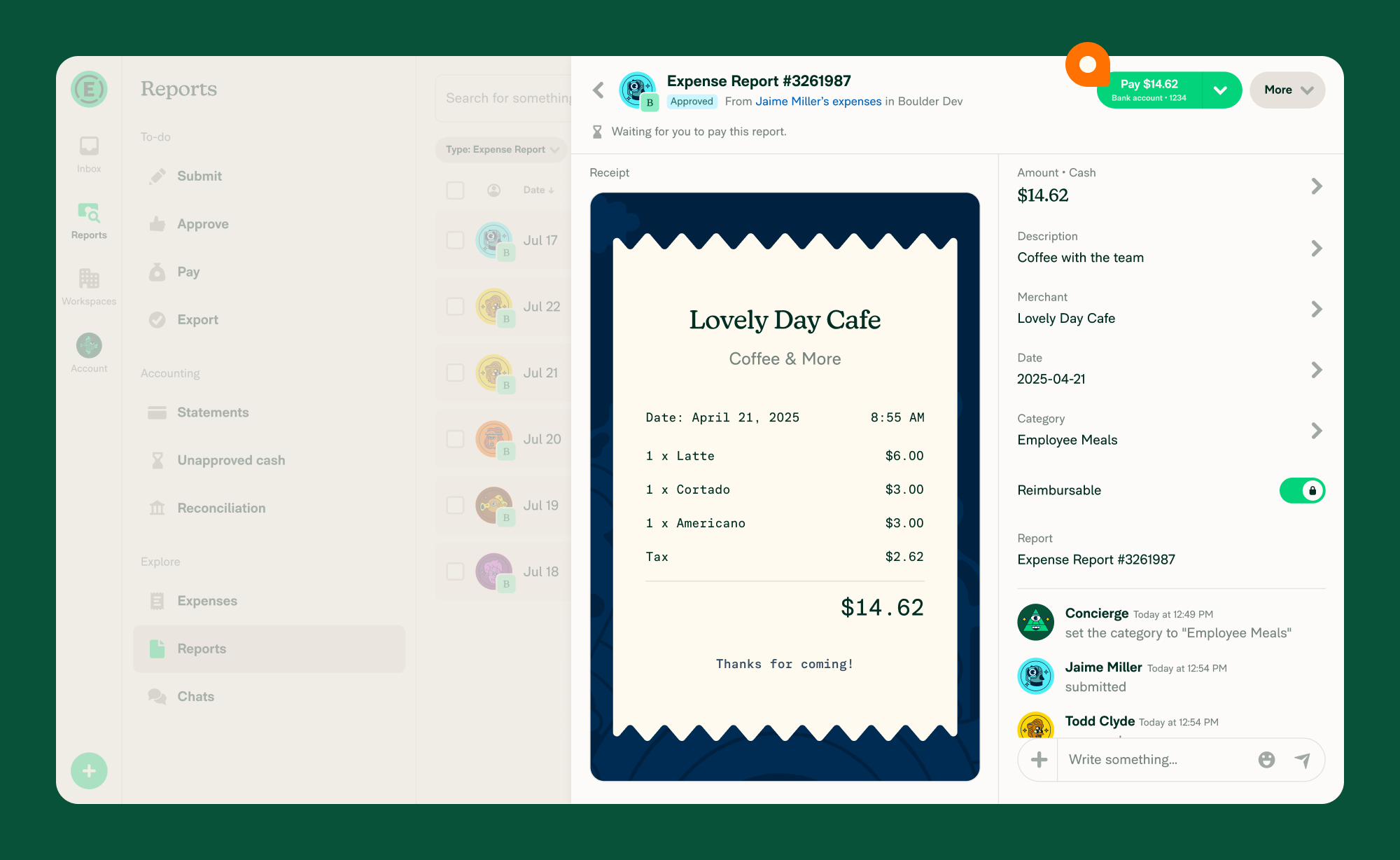
- Open the expense report from Spend > Reports or from the notification.
- Tap Pay to continue.
- Choose your payment method:
- Use your connected business bank account
- Or mark the report as paid manually
- If you’ve paid before, your most recent payment method will appear automatically. To switch, tap the right side of the button to see all available options.
- If this is your first time paying, you’ll be prompted to select your payment method after tapping Pay.
Note: Only bank accounts that match the report’s currency will appear as payment options. For example, if a report is in EUR, only EUR bank accounts are shown.
How to Pay Personal Expenses
To send a personal payment, you must first set up your Wallet.
Note: Personal payments are currently available only to U.S. customers.
Where to find Personal Expenses to Pay
- On web, go to the navigation tabs on the left and select Spend > Reports > To-do > Pay
- On mobile, go to the navigation tabs on the bottom and select Spend > Reports > To-do > Pay
- Or, click the notification you received
How to Pay a Personal Expense
- Open the personal expense from your notification or Spend > Reports.
- Tap Pay to proceed.
- Choose your payment method:
- Pay from your Wallet (personal bank account)
- Pay from a connected Workspace/business account
- Or mark the report as paid manually
- If you’ve made a payment before, the most recently used method will be selected by default. Tap the right side of the button to view other options.
- If this is your first time paying, you’ll be asked to select a payment method after tapping Pay.
FAQ
How long does it take for the submitter to receive a payment?
For US-based ACH payments, if the payment is under $100 and your total withdrawals in the past 24 hours are under $10,000, the payment will process in one business day.
Otherwise, standard bank transfer times apply, and the recipient will receive their funds within 4–5 business days.
Can I pay someone in another currency?
You can reimburse Workspace expenses using business bank accounts in the following currencies:
- United States (USD)
- Canada (CAD)
- United Kingdom (GBP)
- European Union (EUR)
- Australia (AUD)
Note: Personal expenses paid with the Wallet can only be paid in USD.
Why don’t I see my bank account when I click Pay?
Only bank accounts that match the report’s currency appear as payment options. If you have a USD bank account but the report is in EUR, the USD account will not be shown. To pay the report, connect a bank account in the matching currency, or select Mark as paid to record a payment made outside Expensify.
How do I pay a report with only non-reimbursable expenses?
Reports containing only non-reimbursable expenses (e.g., company card charges) cannot be paid via ACH through Expensify. Instead, select Mark as paid from the Pay button dropdown to close the report.


