


Pay an invoice

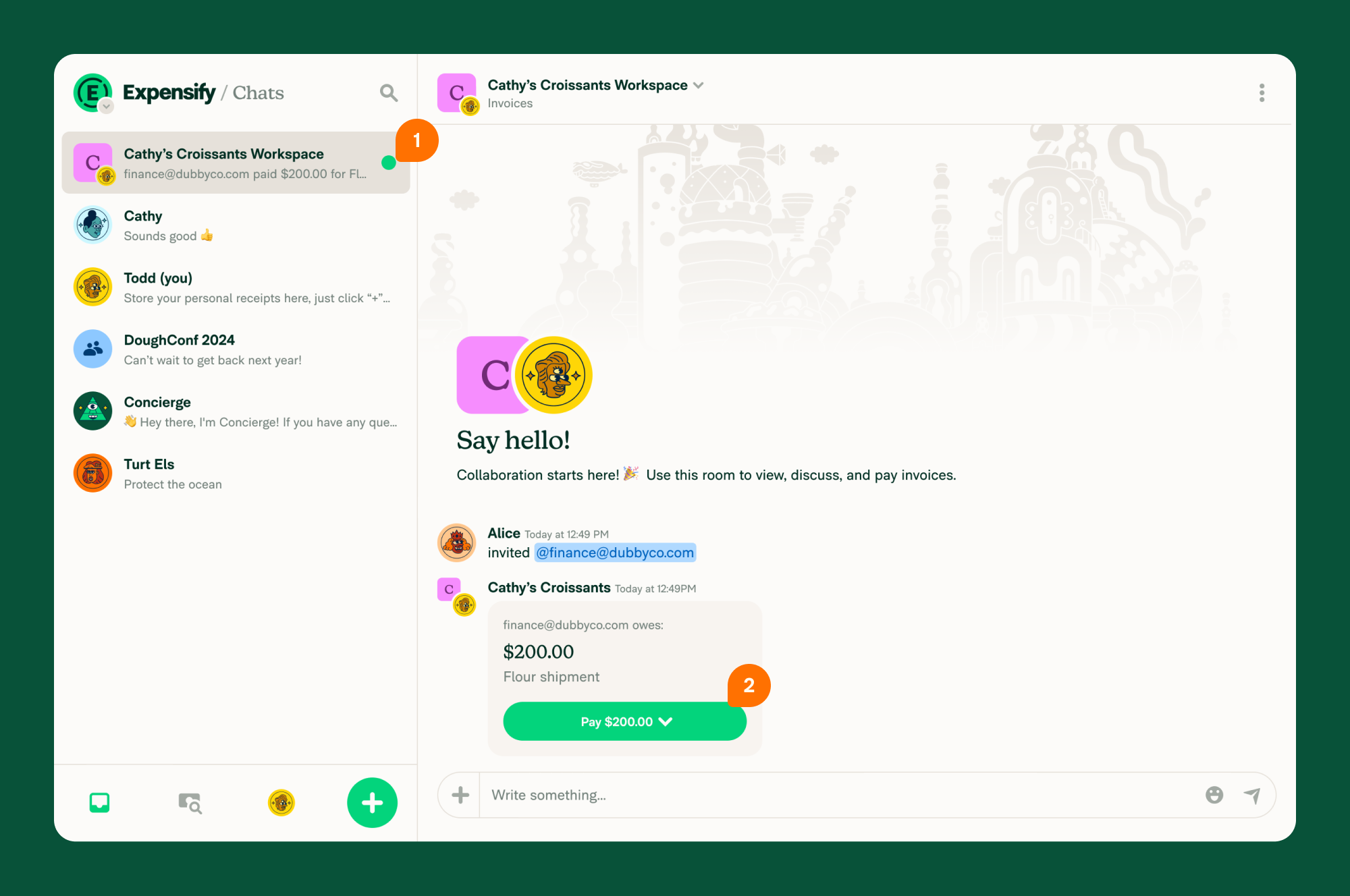
Anyone who receives an invoice from a client or vendor in Expensify can pay it—even if they don’t have an Expensify account.
When someone sends you an invoice through Expensify, you’ll get an automated email or text notification with a secure link to make a payment.
How to pay an invoice in Expensify
- Click the link in the email or text notification you receive from Expensify.
- Click Pay.
- Choose whether to pay as an individual or as a business.
- Click Add Bank Account to connect your payment method, or click Mark as paid if you’ve paid outside Expensify.
- Tap the link in the email or text notification you receive from Expensify.
- Tap Pay.
- Choose whether to pay as an individual or as a business.
- Tap Add Bank Account to connect your payment method, or tap Mark as paid if you’ve paid outside Expensify.
Where to find unpaid invoices
You can view any unpaid invoices by searching for the sender’s email or phone number using the Search bar in the navigation tabs.
- Web: Use the search bar at the top of the navigation tabs on the left.
- Mobile: Use the search bar at the top of the navigation tabs on the bottom.
Invoices awaiting your payment are marked with a Pay badge.
FAQ
Can someone else pay an invoice besides the person who received it?
No. Only the person who received the invoice can view and pay it in Expensify.
Who can send an invoice in Expensify?
Only Expensify members can send invoices. Anyone—regardless of whether they have an Expensify account—can pay an invoice they’ve received.
Expensify Invoicing works for both business-to-customer (B2C) and business-to-business (B2B) payments.
Can I pay an invoice outside of Expensify?
Yes, but you’ll need to coordinate directly with the vendor. You can message them through the invoice room at expensify.com to discuss alternative payment methods.
Can I add multiple payment methods?
Yes. To add another payment method:
- Go to Account > Wallet.
- Click Add Bank Account.
The next time you pay an invoice, you’ll be prompted to choose a payment method from your Wallet.


